Role
Product & UI design, motion
Platforms
iOS · wall tablet · desktop
Year
2023
Type
Concept project

Smart Home
for the evening.

Designing a sense of comfort through digital interaction. One calm app for the lights, climate, locks and cameras of a home: hi-tech, cosy and precise.

From first launch to the right light.

The prototype · tap a step

iPhone · prototype

Control is not the same as comfort.

The idea

Smart home systems often focus on control and efficiency. Every brand ships its own app, its own logic, its own way to say "on".

This project explores a different approach: an interface that feels like part of the home itself. Soft visuals, ambient light and customisation create a sense of comfort and presence, whether you are on the sofa or on the train.

Five principles.

Design principles

  1. Atmosphere over functionality

    Frosted glass lies over the real room, so the interface feels like part of the house, not a control panel on top of it.

  2. Soft and immersive visual language

    Warm neutrals taken from evening light, rounded shapes, generous spacing. One accent colour, and it only ever means "on".

  3. Emotional connection through light and colour

    The device shows its own state: the lamp on screen glows exactly as bright as the lamp on the ceiling, and the beam takes the chosen colour.

  4. Simple interaction, minimal cognitive load

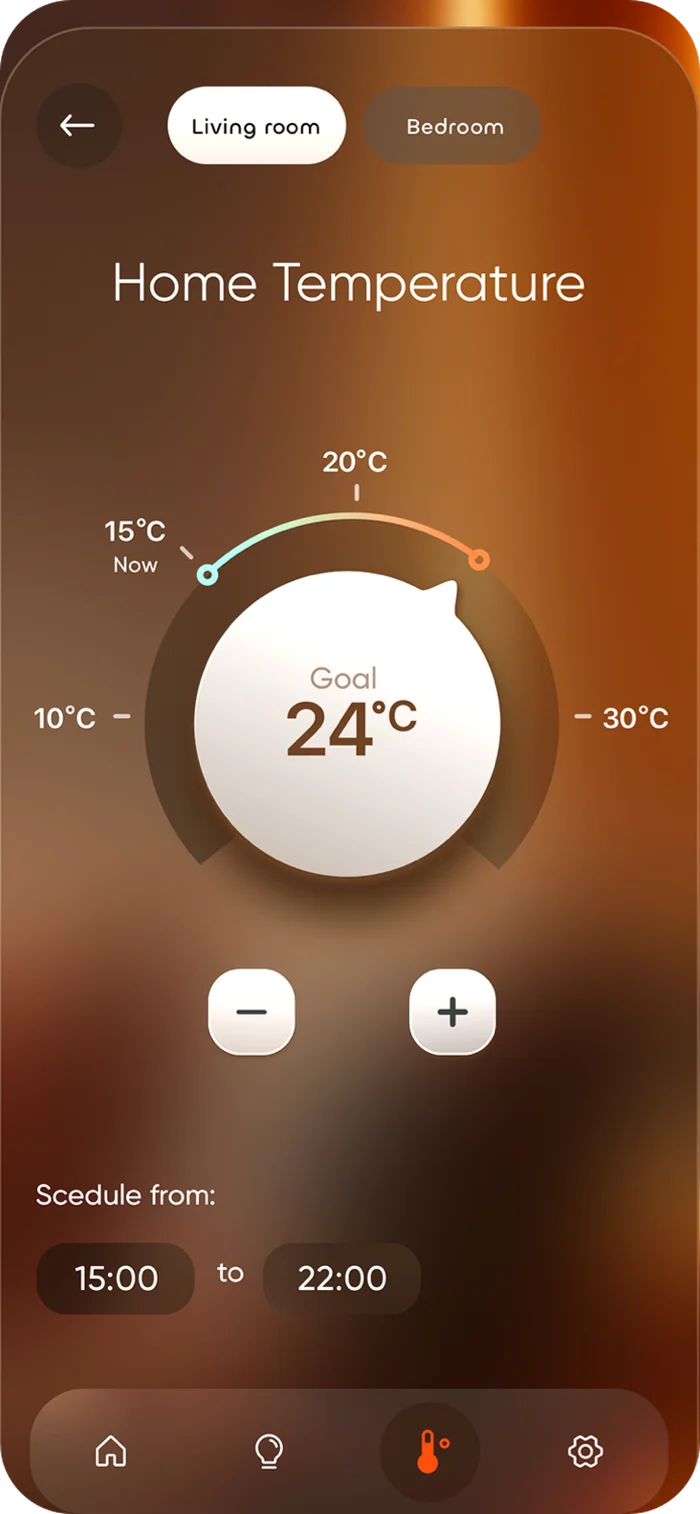
    One gesture per control. Every value shows where you are and where you are going: Now 15 °C, Goal 24 °C.

  5. Customisable environment

    Rooms, colour presets and schedules shape the home around the people who live in it.

Key interactions

From line to light.

Every screen starts as a thin-line layout: structure, hierarchy and gesture first. Then the light comes in.

  • Gesture-based control
  • Real-time feedback through light and motion
  • Seamless switching between devices
Home screen as a thin-line layoutHome screen, final design
Home
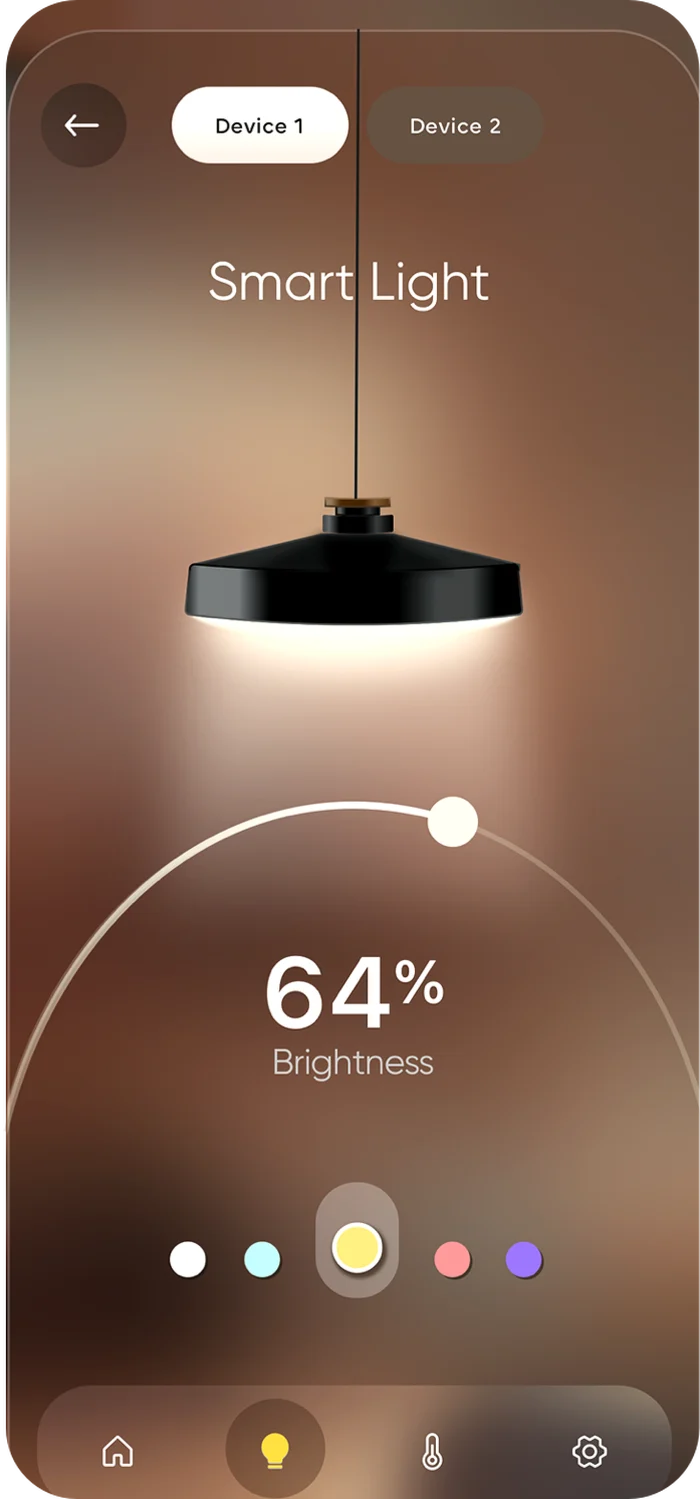
Smart Light screen as a thin-line layoutSmart Light screen, final design
Smart Light
Home Temperature screen as a thin-line layoutHome Temperature screen, final design
Home Temperature

One calm interface, every surface in the house.

Interface overview

A unified interface that brings multiple devices into one calm, cohesive environment. The goal is not only to control the system, but to shape the feeling of the space.
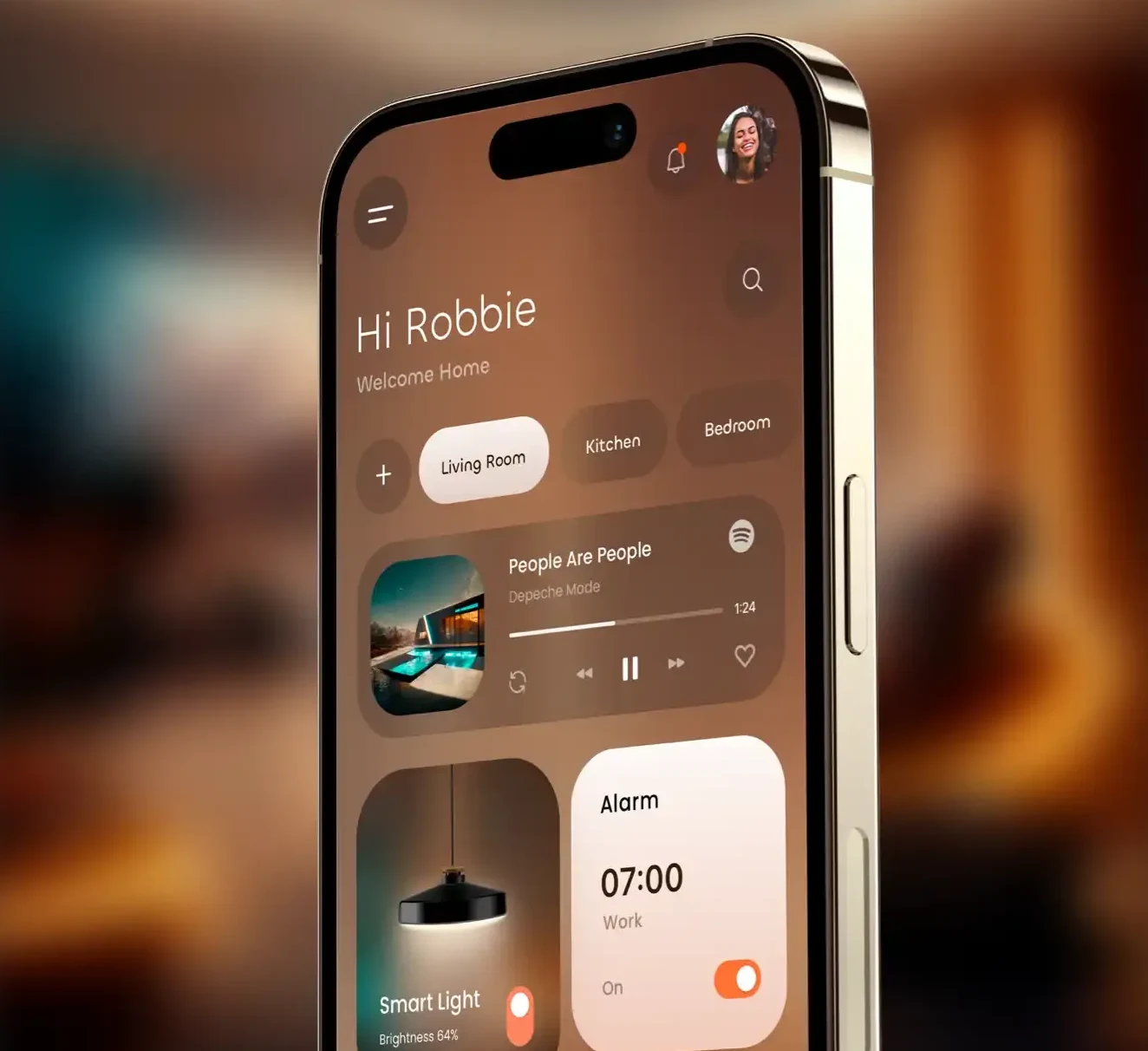
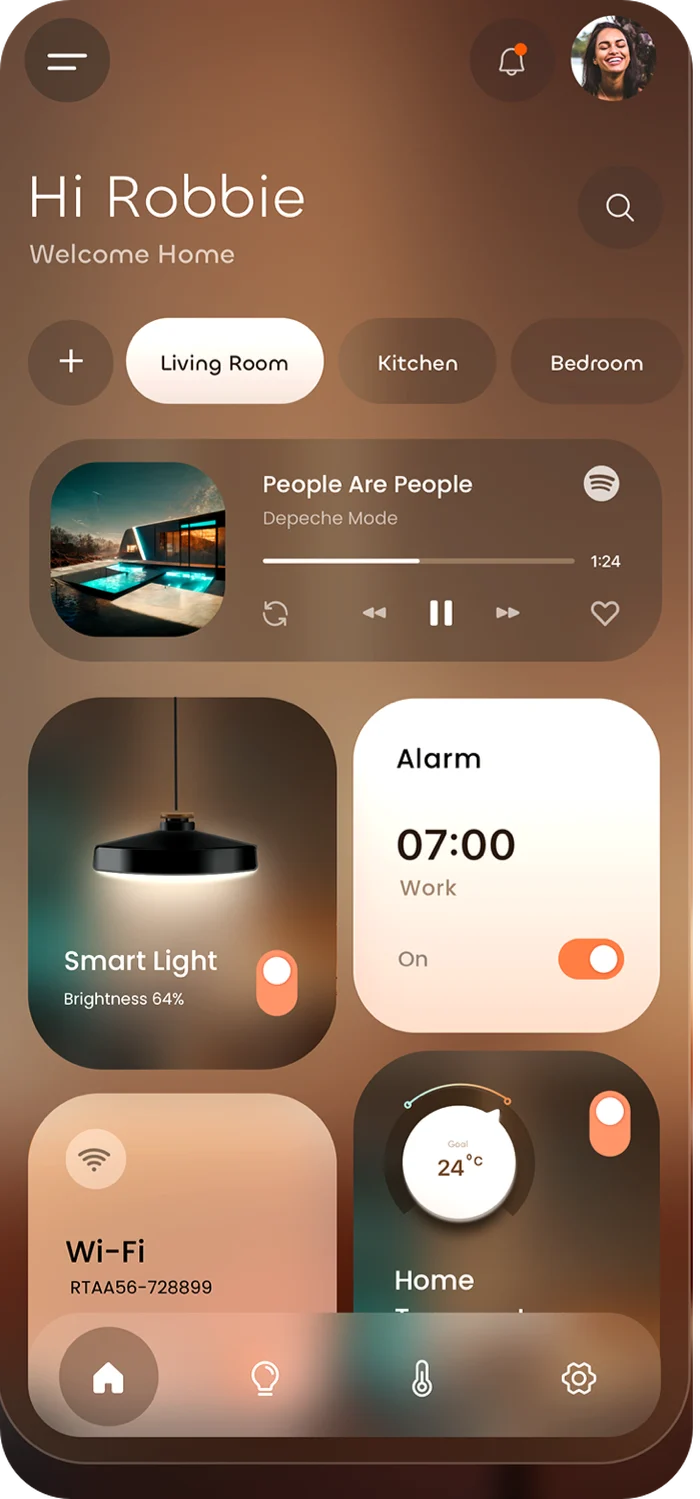
iPhone showing the Smart Home home screen: rooms, music, smart light and alarm cards
PhoneOn the goQuick control and notifications. Cards are sized for one thumb.
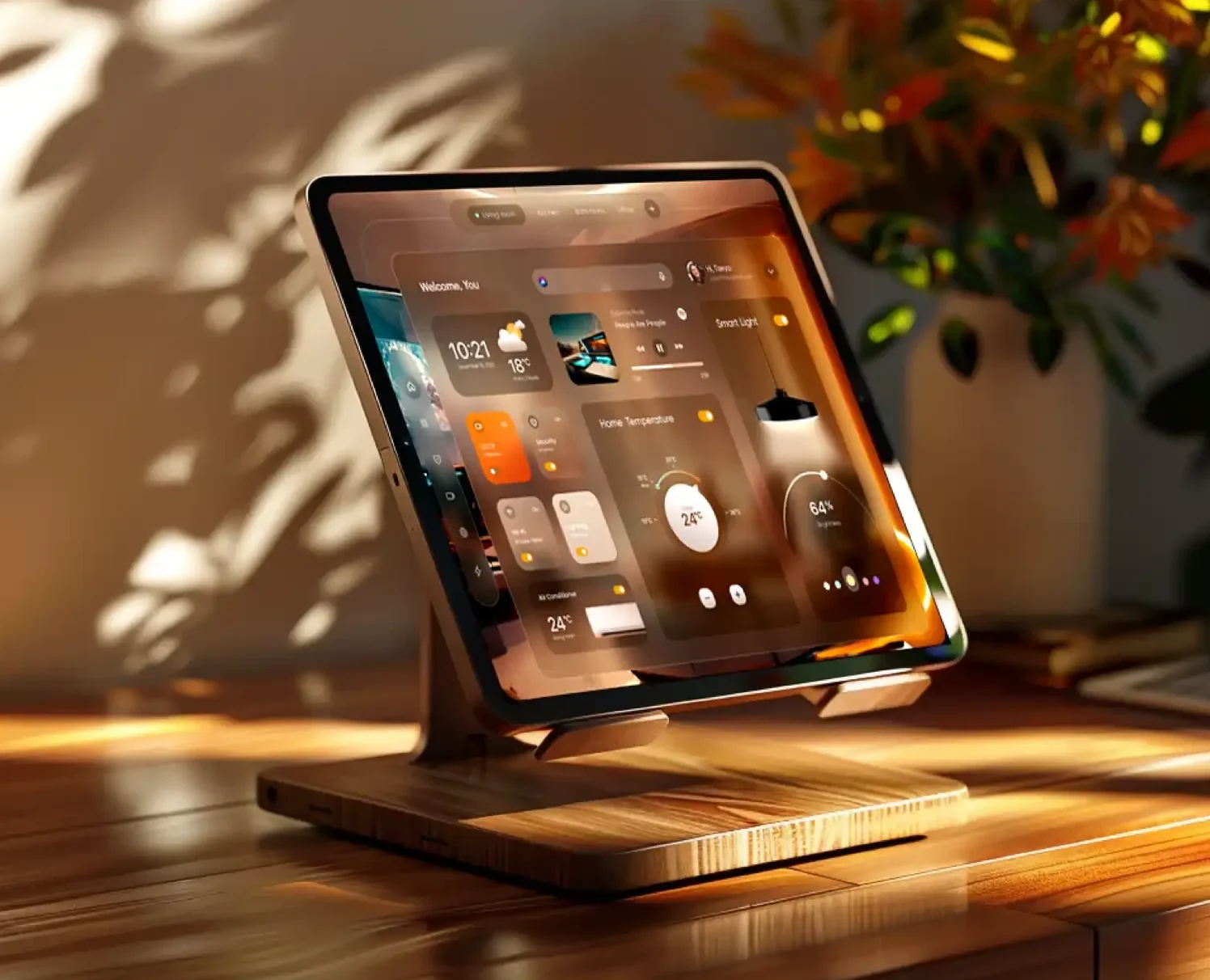
Tablet on a wooden stand showing the dashboard with weather, temperature and lighting widgets
Tablet on a standKitchen, hallwayThe same cards in a wider grid, readable from a few steps away.
Wall dashboard
Wall dashboardLiving roomThe room blurs, the glass panel rises and widgets assemble in place: clock and weather, CCTV, security, Wi-Fi, lighting, air conditioner, temperature and the smart lamp.

Controls you already know how to use.

Anatomy

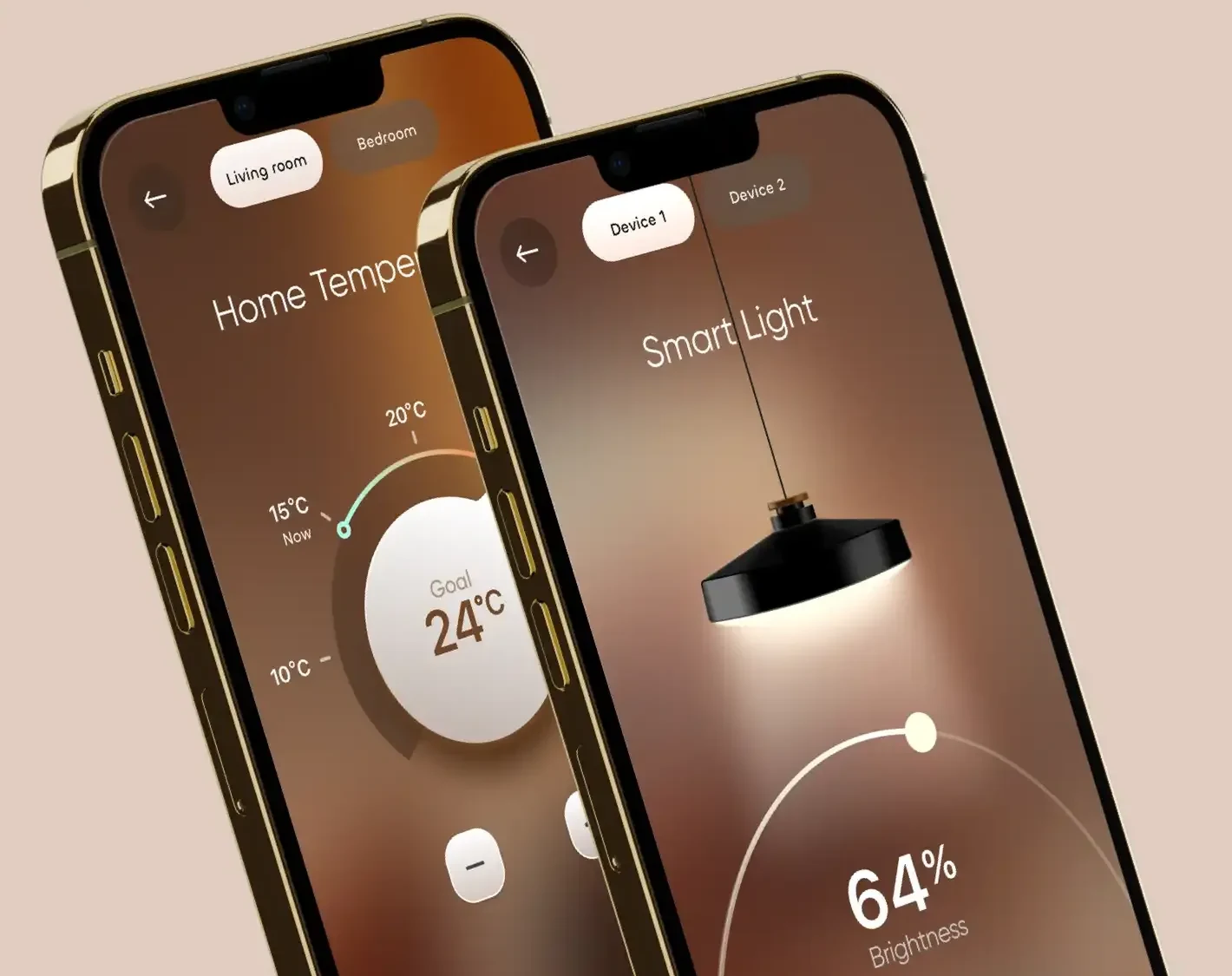
Two iPhones: Home Temperature dial at goal 24 °C and Smart Light at 64 % brightness
Arc slider
Follows the cone of light under the lamp. The thumb sits on the arc, the value sits inside it, large.
Now and goal on one dial
A small marker shows the current temperature, the big knob shows the target. The gap between them is the work the heating still has to do.
Device tabs
Device 1, Device 2: switch between lamps in the same room without going back.
Bottom bar
Home, light, climate, settings. The active section is the only lit icon.

A small, warm design system.

Colour · material

Ember#FD7E44 · on
Cream#F6EDE3 · active card
Latte#9E7859 · glass
Walnut#6D5444 · glass deep
Umber#3B2920 · shadow
Teal#488A8F · cool light

What the release version adds.

Scope for v1

Core flowsHome by room, light with brightness and colour, temperature with schedule, alarm, music, Wi-Fi.Designed
Three surfacesiPhone, tablet on a stand, wall dashboard from one component set.Designed
Device statesOffline device, pairing in progress, low battery, update available. Each card needs a quiet and a loud version.Next
First runA home with no devices yet: add a room, scan for devices, name them.Next
AccessibilitySolid panels when Reduce Transparency is on, text contrast checked on the lightest glass, Dynamic Type up to XXL.Next
StandardsMatter support so devices from Apple Home and Google Home appear without a separate setup.Next

Adaptive environment.

Light · colour · space

The interface adapts to the space through dynamic backgrounds, light and colour. It becomes part of the environment, not just a tool for controlling it.
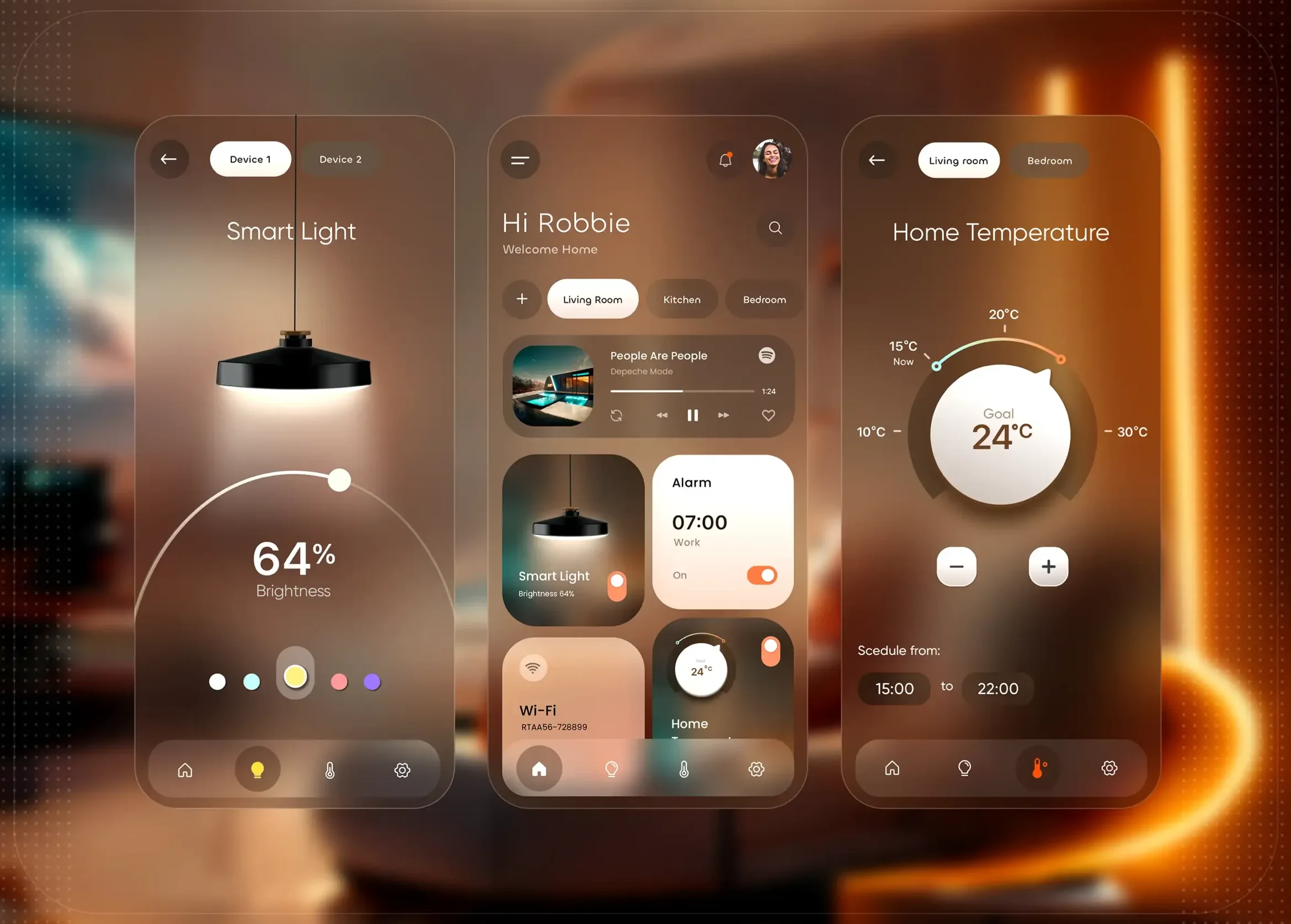
Three screens side by side: Smart Light at 64 %, Home with room cards, Home Temperature at goal 24 °C

The goal is not just to control the home, but to feel it.

Smart HomeConcept project · 2023

Next projectTommi →
↑ Top× All work