Role
Product & UX/UI design
Platforms
Desktop · touch tablet
Version
Second redesign
Type
Client project · second version

Radio DJ
for the live show.

On air · automation software

Designing efficient workflows for live broadcasting. A redesign concept for professional radio automation software, focused on clarity, speed and real-time control.

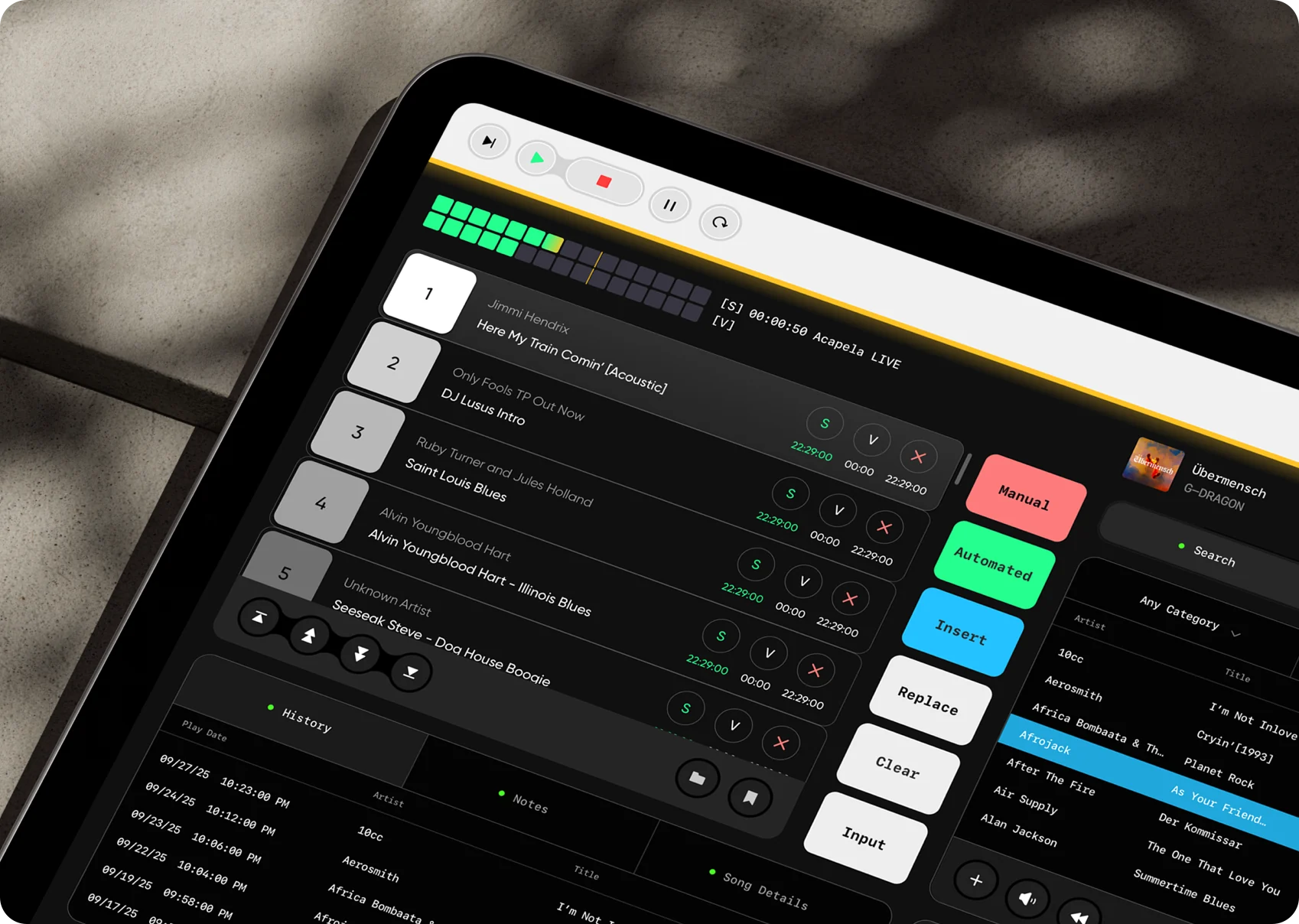
Tablet on a desk in the studio showing the redesigned Radio DJ interface: track queue, mode buttons and library

The new workspace on a touch tabletClient redesign

The backbone of every live show.

Context

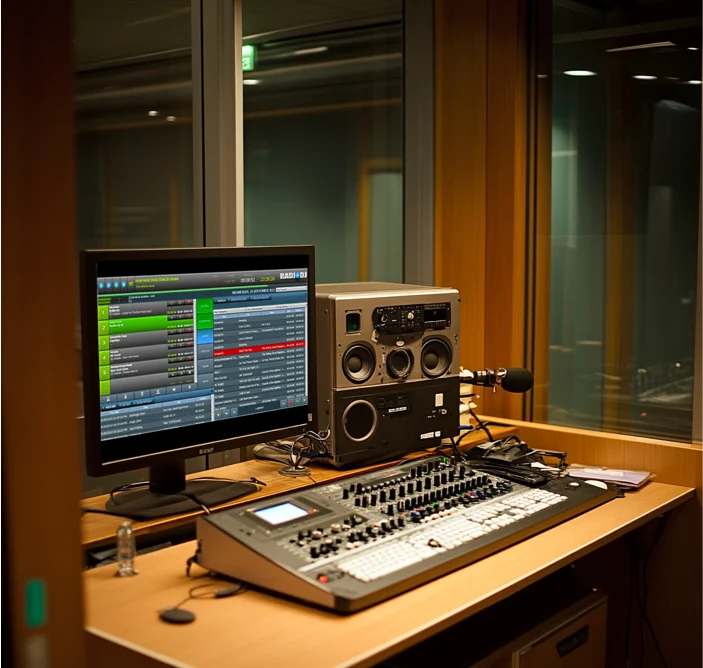
Radio studio: monitor with the automation software, mixing desk, speakers and microphone

Radio DJ software is the operational backbone of live broadcasting. It runs while the host talks, takes calls and watches the clock, so every second of hesitation is heard on air.

  • Music playbackDecks, cues
  • PlaylistsRotation, scheduling
  • AutomationUnattended hours
  • Live mixingLevels, EQ
  • Audio deliveryStream, broadcast

Powerful, but hard to read in a hurry.

The problem · before and after

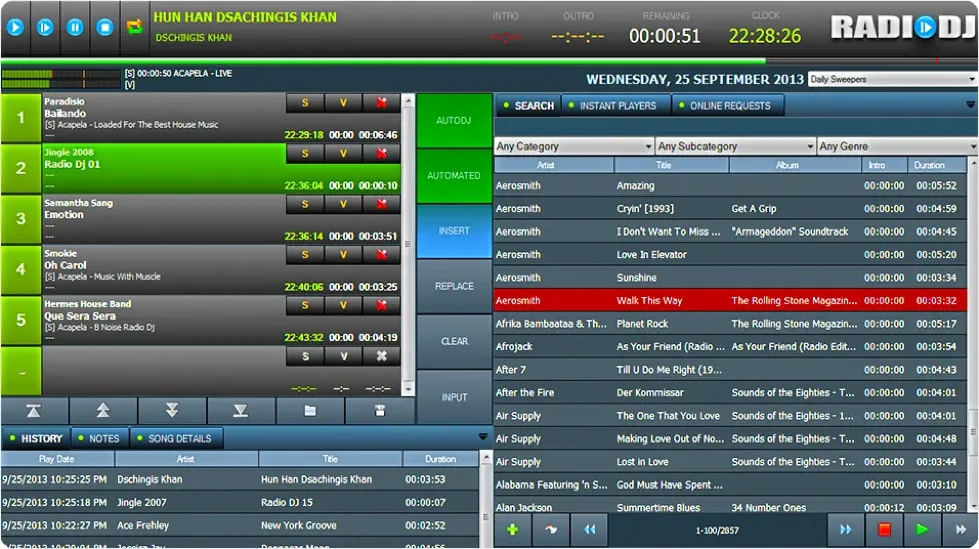
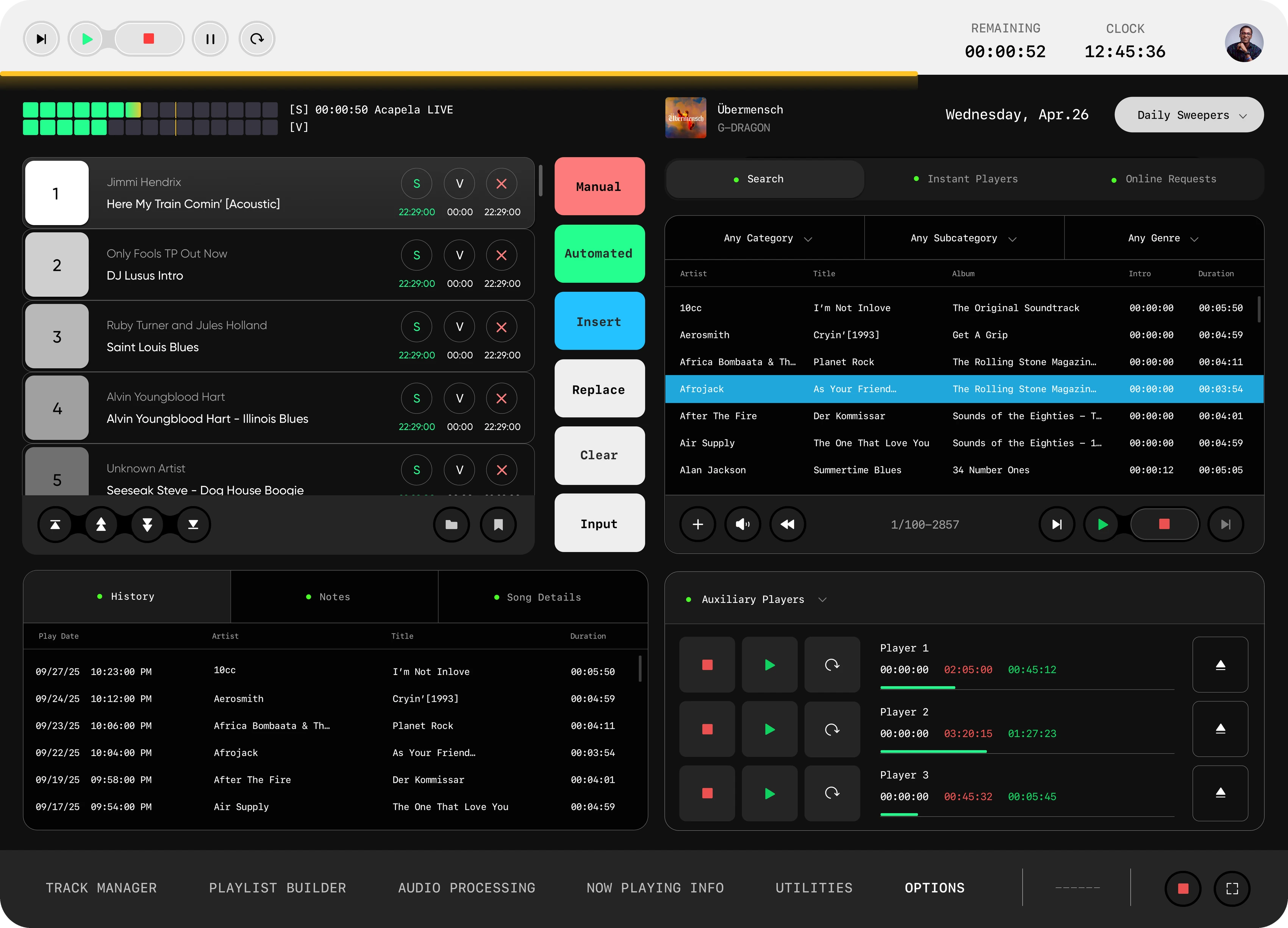
Redesign The existing Radio DJ interface: dense grey tables, bright green blocks and many small buttons The redesigned main screen: five decks, colour-coded mode buttons, library and auxiliary players

Many existing radio automation tools are powerful, but visually outdated and difficult to navigate. The same functions, regrouped around what the DJ does next.

  1. Cluttered layoutsTables, meters and buttons all compete at the same volume.
  2. Dense controlsSmall, similar buttons for actions that cannot be undone on air.
  3. No personalisationEvery host gets the same screen, whatever their show or habits.
Design goal

Redesign the interface around the real workflow of a DJ: preparing playlists, managing live playback, switching between actions and staying confident during a broadcast.

Five principles.

Design principles

  1. Clear hierarchy for live decision-making

    What is playing, what comes next and how long is left are always the loudest things on screen.

  2. Fast access to critical controls

    Play, stop, insert and replace are large touch targets next to the queue, never inside a menu.

  3. Personalised workspaces

    Each host keeps their own layout, hotkeys and audio setup.

  4. Reduced visual noise

    A dark, calm base. Colour is kept for state: signal, mode, on air.

  5. Smooth onboarding for new users

    Step-by-step setup for new hosts, so the first show is not the first time they see the tool.

One workspace, eight zones.

Anatomy · tap a zone

The new interface organises complex broadcasting tools into a clearer workspace. Playback, playlists, audio levels and live controls stay visible, while secondary actions are structured around the workflow.

Main screen of the redesigned Radio DJ software
01
02
03
04
05
06
07
08
ManualThe host is driving
AutomatedThe playlist runs itself
InsertAdd into the queue
ReplaceSwap the selected item
ClearEmpty the queue
InputLive source in

Your show, your setup.

Personalised setup · tap a window

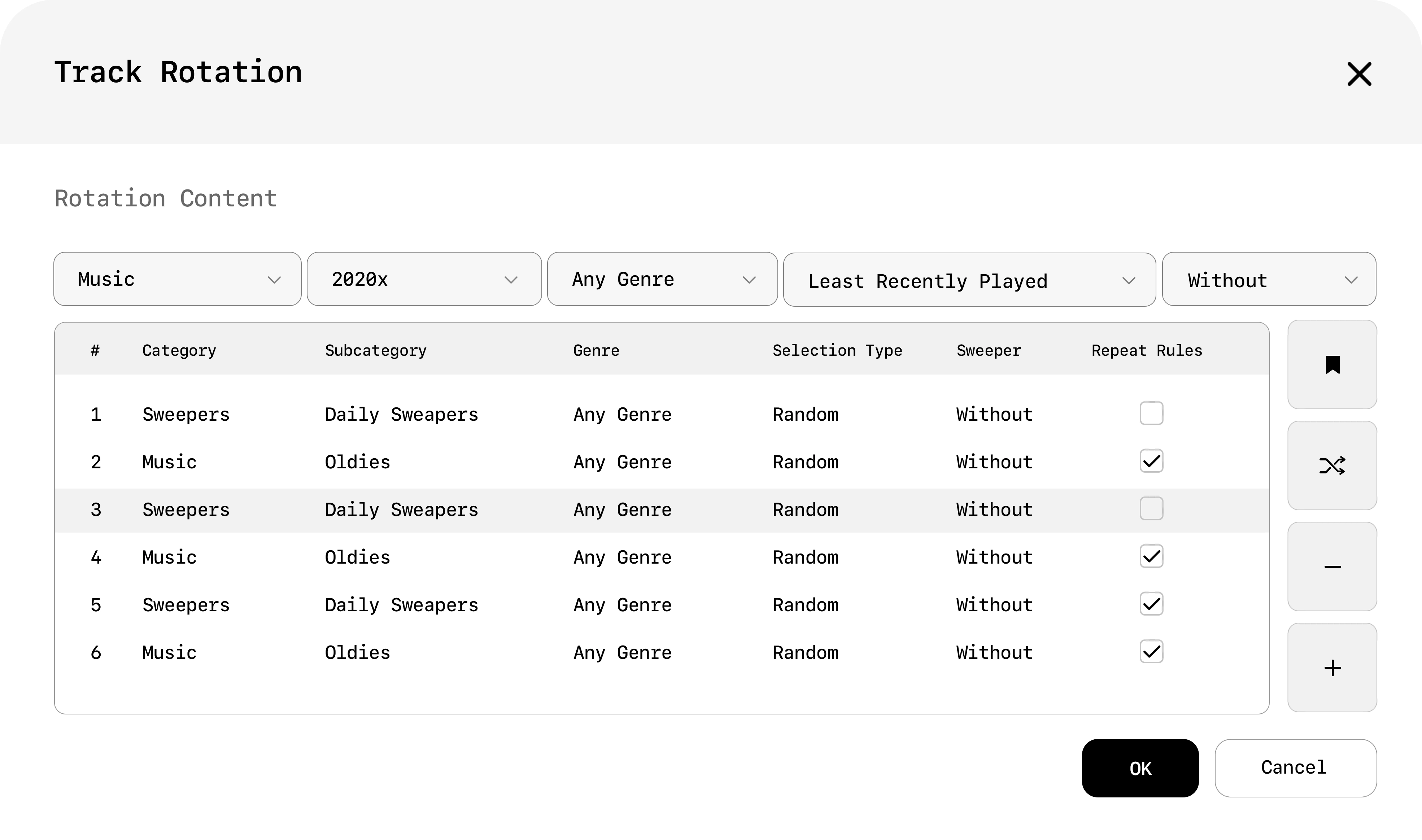
The profile system turns a complex professional tool into a personalised workspace. Settings open on top of the live screen, so the show stays in sight while the host changes how it runs.
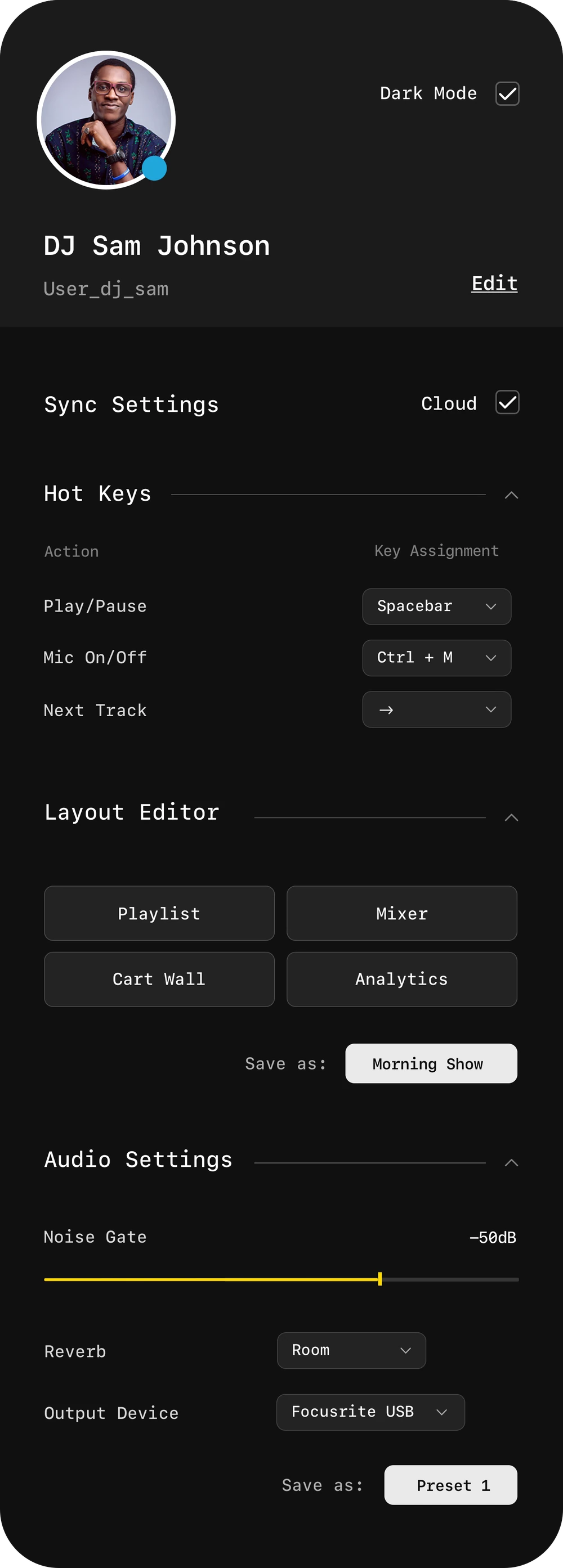
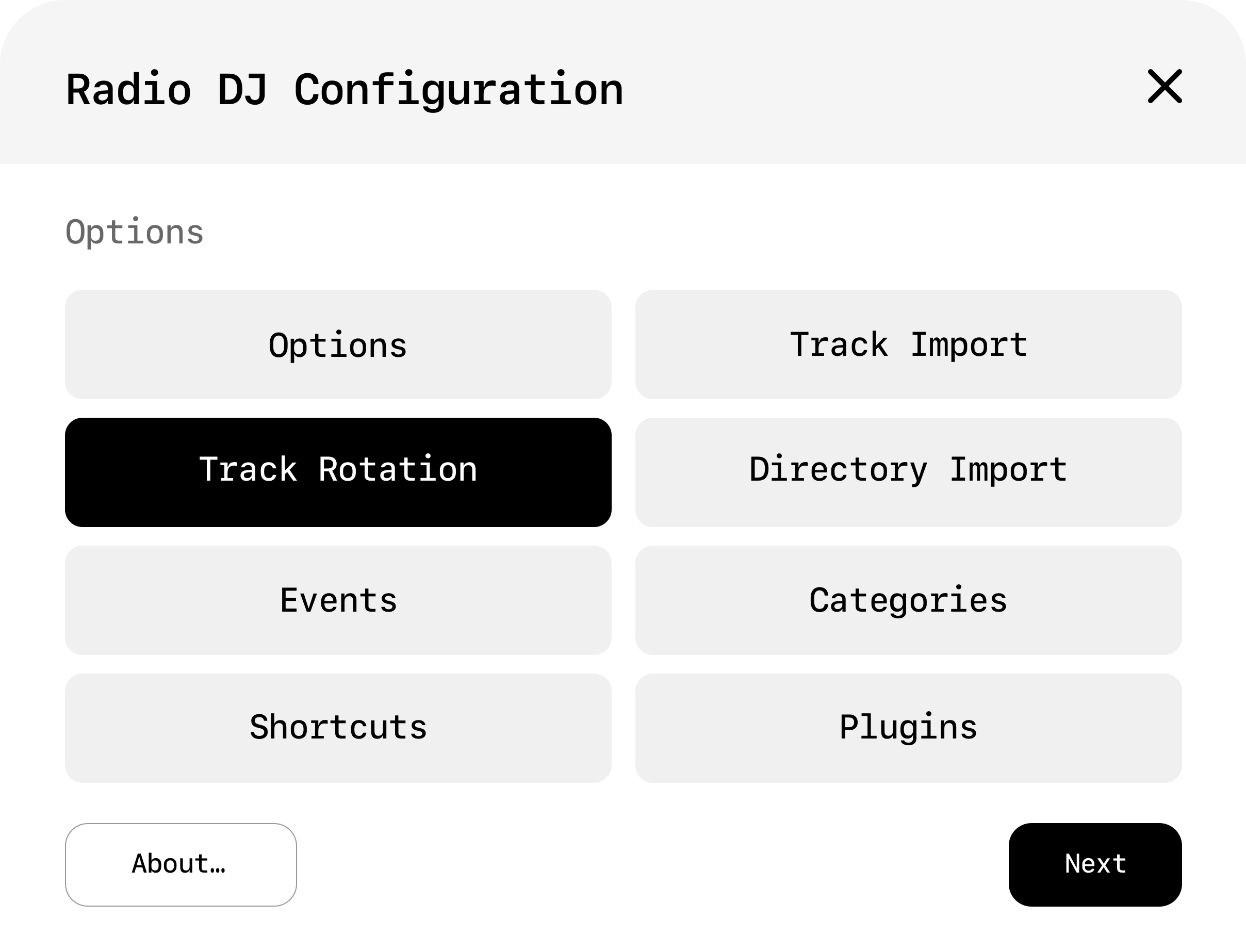
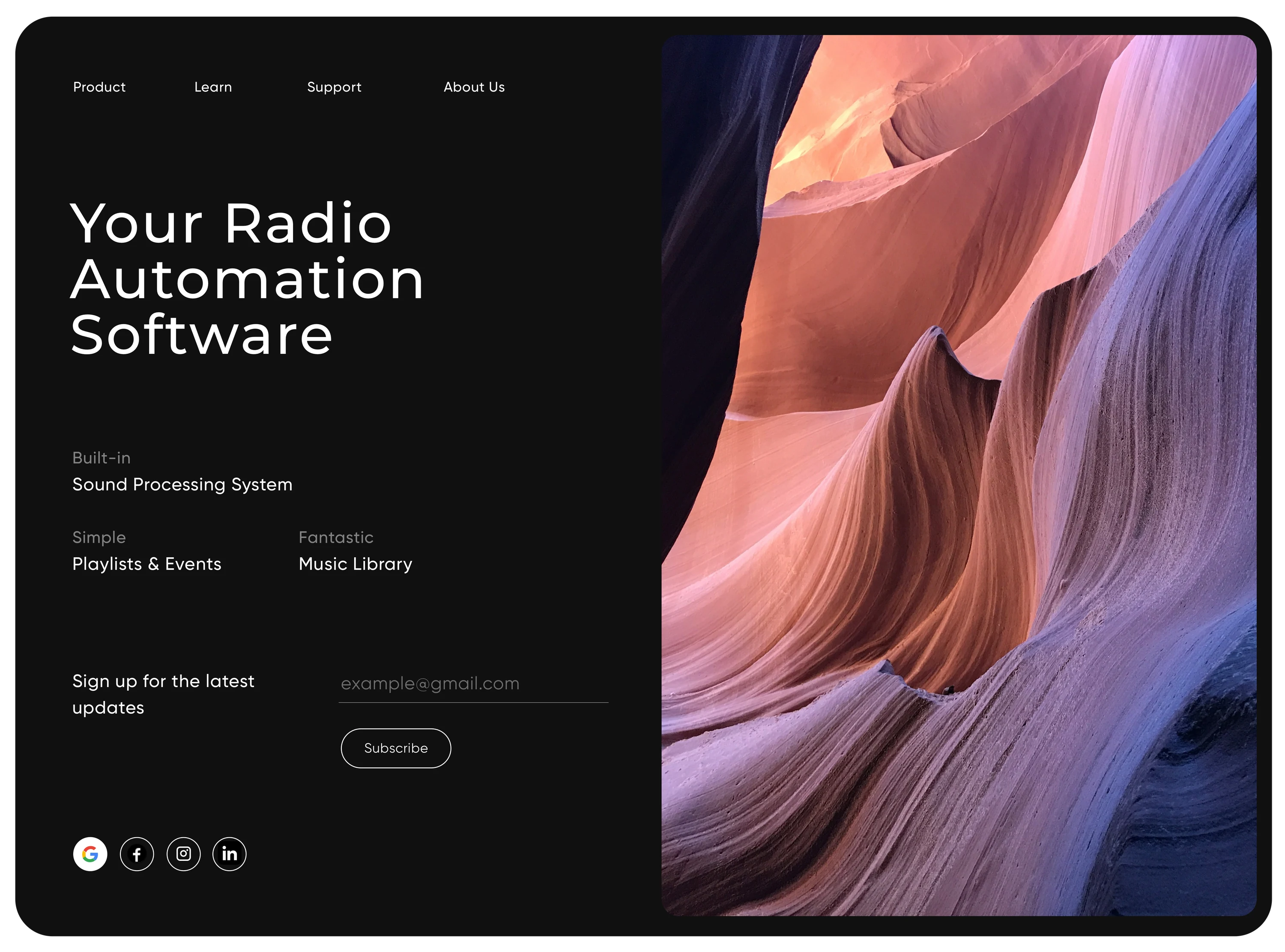
Profile panel: DJ Sam Johnson, sync settings, hot keys, layout editor and audio settings Radio DJ Configuration dialog with options, track rotation, events, shortcuts, imports, categories and plugins Track Rotation dialog: a table of categories, genres and selection rules Product landing page: Your Radio Automation Software, with a photo of red sandstone

Built for the seconds that count.

Supporting live performance

During live broadcasting, timing and clarity are critical. The player keeps essential playback and audio controls visible, so the DJ can react quickly without losing focus.
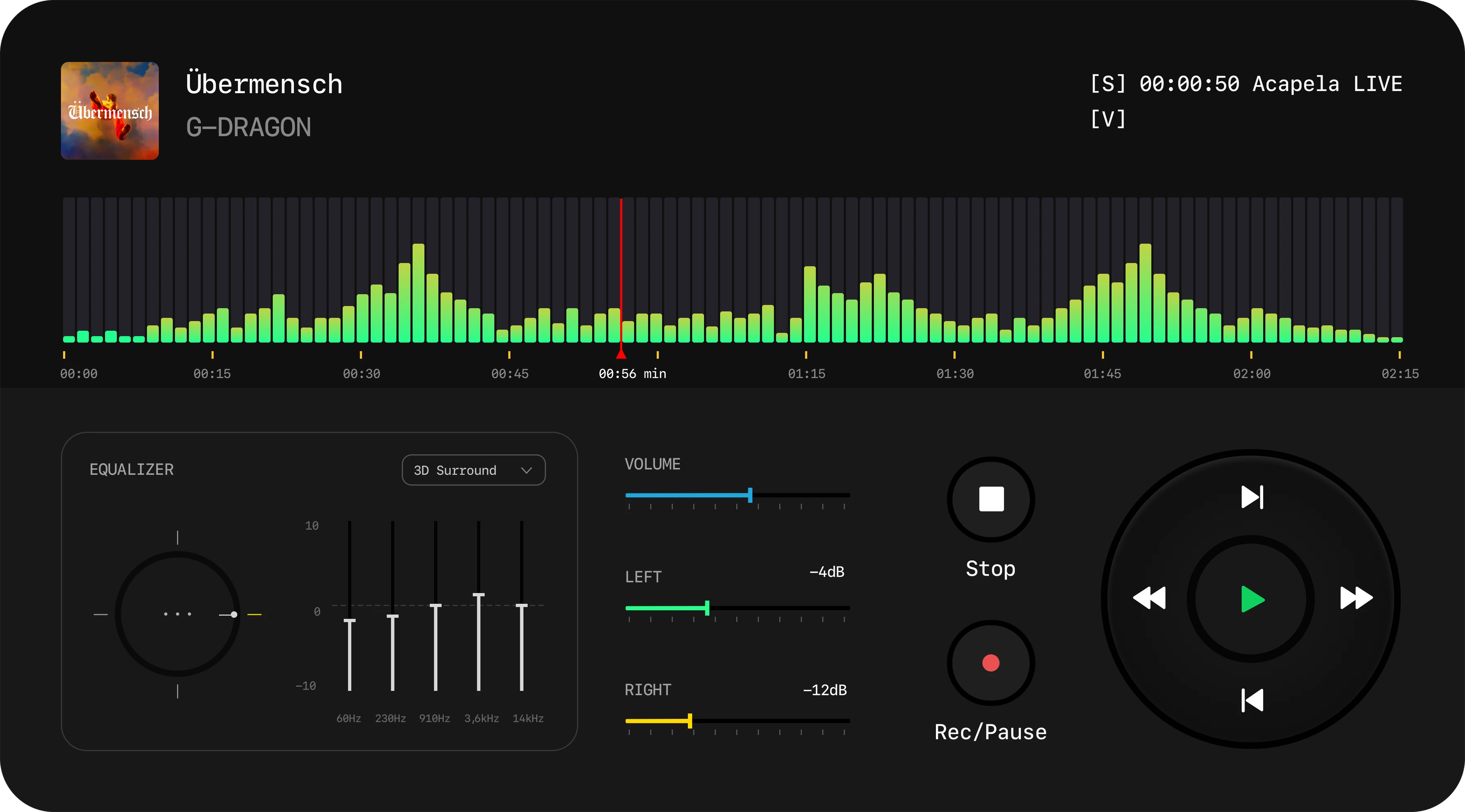
Player view: track Übermensch by G-Dragon, waveform with a red playhead, equaliser, volume, stop, record and a round transport controlPlayer

The goal is not just to manage audio, but to support the flow of live performance.
Radio DJClient redesign

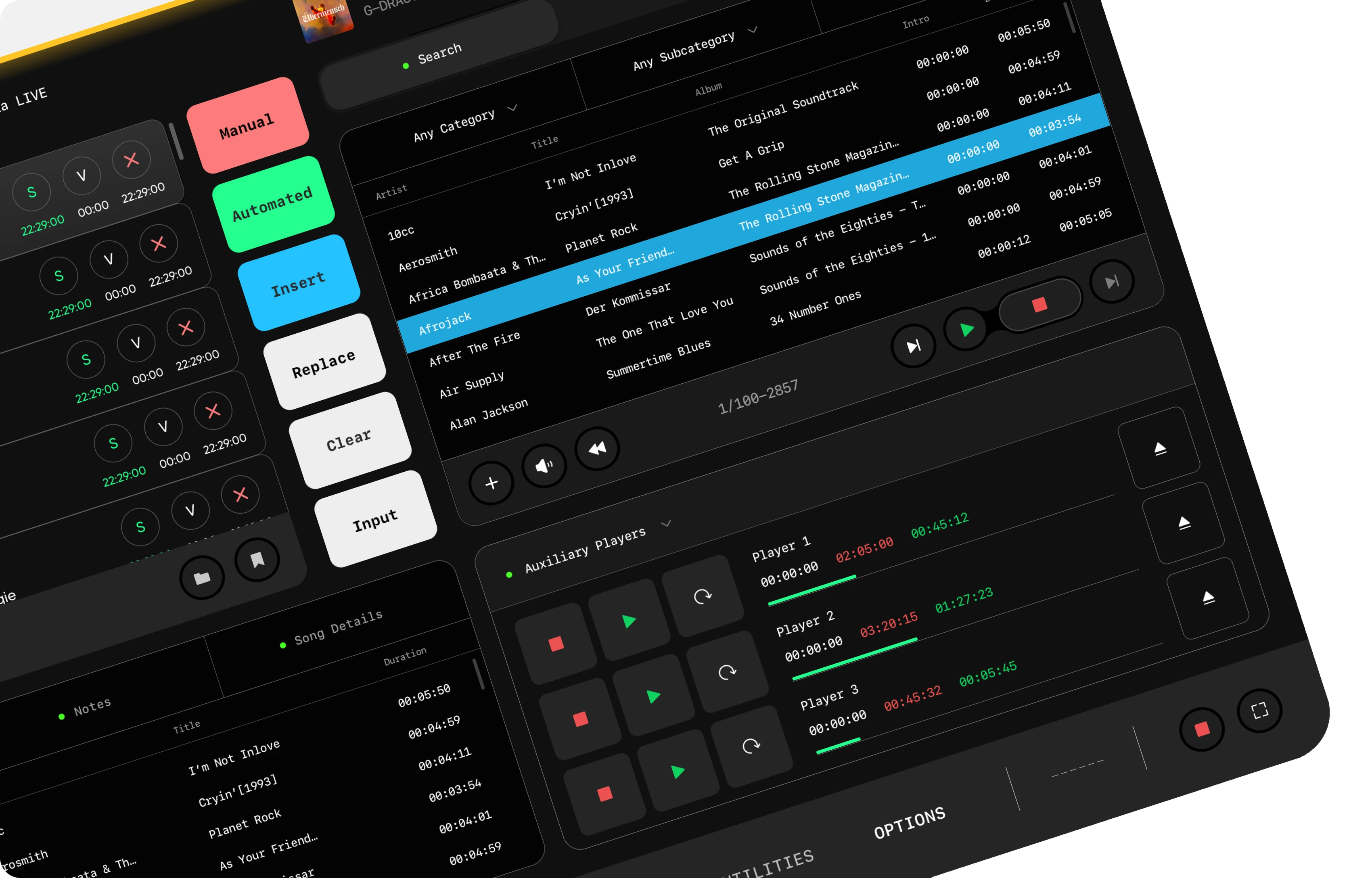
The main screen tilted in perspective: queue, colour-coded mode buttons, library and auxiliary players
Next projectSmart Home →
↑ Top× All work